


Messages - SMS Text Message
4.0285.00 Reviews
App Specs
- Version
- 14.0
- Updated On
- License
- Free
- Downloads
- 500,000+
- Developer
- Fronex Lab
- Categories
- Communication
- Platform
- Android
Screenshots
 Analysis by AppCompare
I tend to judge an SMS app by one practical question: does it make everyday messages easier to manage without getting in the way? Messages - SMS Text Message is built around that familiar, direct style of communication, with useful extras such as scheduling and group chat. It is a free communication app from Fronex Lab, and its appeal is less about replacing every messenger on a phone than giving ordinary texting a more flexible home.
Why scheduling can make texting easier
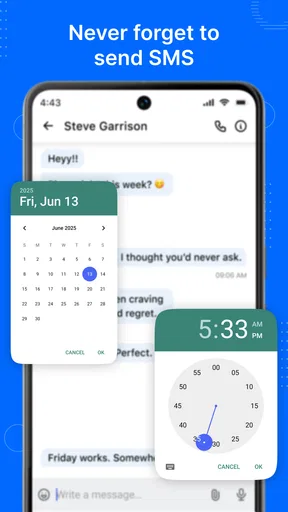
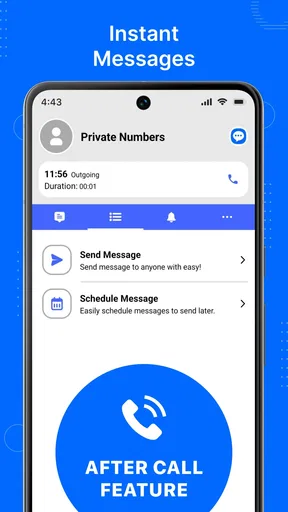
Scheduling is the capability I find most useful to think through before trying this app. A text often needs to be sent at a particular time, not necessarily at the moment I remember to write it. Being able to prepare a message in advance can help with a birthday greeting, a reminder to a family member, or a note that should arrive during someone’s working day rather than late at night.
The benefit is small but real: I can write while a thought is fresh, then avoid sending it at an awkward hour. It also helps when I need to communicate something routine but don’t want to rely on remembering it later. For messages that are time-sensitive, though, I would still check that the scheduled text is set correctly before depending on it. A scheduled message is only helpful if its recipient and timing are right.
How it fits into an ordinary texting routine
The app’s main job remains SMS, so I would approach it as a place to handle regular conversations rather than as a social network. The familiar format lowers the learning curve: open a conversation, write a message, and keep the exchange moving. Group chat adds a practical option when one update needs to reach several people, while scheduling helps separate composing from sending.
For example, I might draft a message about a weekend plan while I have a spare moment, schedule it for a sensible time, then use a group conversation to coordinate the details as replies come in. That workflow is useful because it keeps the initial announcement from being forgotten and avoids sending it while everyone is asleep. It is not a substitute for checking responses or making sure the group has understood the plan.
One useful habit is to keep scheduled messages short and unambiguous. If the plan changes, an old timed message can become confusing, so I would revisit anything prepared in advance when circumstances shift. This is especially important for directions, appointments, and other details that can become outdated. Scheduling saves a reminder step, but it does not remove the need to review the message.
Everyday use, trade-offs, and fit
I find that the most useful way to judge a texting app is to ask whether it fits the moments when I need to communicate, not whether it promises to replace every other messenger. Here, I’d focus on trying a routine group message with a low-stakes scheduled text; that reveals whether the app’s central tools suit your habits. From there, the real question is how comfortably it fits alongside the options you already use.
Worth Reading Before You Choose

EA SPORTS FC Mobile 26 Is a Bigger Football Game, but It Takes Time

Flipboard Shows What News Apps Must Do Beyond the Feed

Switching to Android Auto Means Rethinking Your Driving Routine

Google Calendar Makes a Crowded Week Easier to Manage

Ludo King Makes the Most of the Minutes Between Plans

Baby Panda World Brings Quick Play to Modern Phones, but Its Game Library Feels Busy
A realistic group-chat scenario
Imagine arranging a shared ride with friends. I can send the basic time and meeting point to the group, then use the conversation to handle changes without forwarding the same update one person at a time. If I already know the information the night before, scheduling can help me send it at a more suitable hour. The useful part is not a complicated system; it is having the message and the group discussion in one familiar texting routine.
For a household, the same approach can help with reminders about picking something up or confirming when someone will be home. For a small work team, it may be handy for straightforward coordination, although I would not treat ordinary SMS as a secure channel for confidential work. The right use is practical and low-stakes: share information people need, then let the group reply in the same thread.
Group chats also have a social trade-off. They reduce repeated one-to-one messages, but they can produce a stream of replies that is harder to follow when several people respond at once. I would keep a group focused on one purpose and move sensitive or personal details to an individual conversation. That simple boundary makes the feature more useful without asking the app to solve a people problem.
Where it sits beside other messaging choices
Compared with a phone’s built-in texting app, a dedicated SMS app is most attractive when its extra tools match a real habit. Scheduling and group communication can make this a more appealing option for someone who regularly plans messages or coordinates with several people. If the built-in app already handles those tasks comfortably, switching may not change much about the day-to-day experience.
It also serves a different purpose from internet-based messengers. Those services may be a better fit when a conversation depends on rich online features or when everyone involved already uses the same platform. SMS is useful for straightforward texts to phone numbers, but it should not be confused with an encrypted private messenger. I would choose the channel based on the conversation, not assume that one app is best for every kind of communication.
The app is free, which makes trying it a low-commitment way to see whether its workflow suits you. It is rated for Everyone, and it has an average rating of 4.1 from around 2.2 thousand ratings, with over 100 thousand installs. Those figures offer a sense of its reach, but they cannot tell me whether its particular interface will feel right on your device. My advice is to judge it by whether scheduling and group chats solve a recurring annoyance for you.
What to consider before switching
Changing a default messaging app is not just a matter of liking its appearance. Before relying on a new SMS app, I would check that the conversations I care about are available and that sending and receiving work as expected. I would also confirm which app is set to handle texts, so I do not end up looking in one place for a message that arrived in another.
A practical test is to send a simple message to someone you know, then try a group conversation and a scheduled message that is not important. That gives you a chance to understand the flow before using it for a reminder you cannot afford to miss. If your phone’s existing setup behaves differently from what you expect, take a moment to check the app’s settings rather than assuming every device handles SMS in the same way.
Privacy deserves a separate decision. Text messages are convenient, but convenience does not make them appropriate for passwords, financial details, or sensitive personal information. If that is the kind of communication you need, I would choose a service designed for private messaging instead. For everyday logistics, casual check-ins, and simple reminders, the trade-off may be perfectly reasonable.
Who is likely to appreciate it?
I see the strongest fit for people who still rely on SMS and want a little more control over when they send messages. It may also suit anyone who often has to coordinate plans across a group, especially when the communication is simple enough to work well as a text thread. If you prefer to draft messages when convenient and send them at a more considerate time, scheduling gives the app a clear reason to be on your phone.
On the other hand, I would skip it if you need end-to-end encrypted conversations, depend on a feature-rich internet messenger, or already like your phone’s default SMS app. It is also not the right choice if you expect a scheduling feature to manage changing plans automatically; you still need to review a message when the details change. A focused tool can be useful without being the answer to every messaging need.
First impressions and the familiar interface
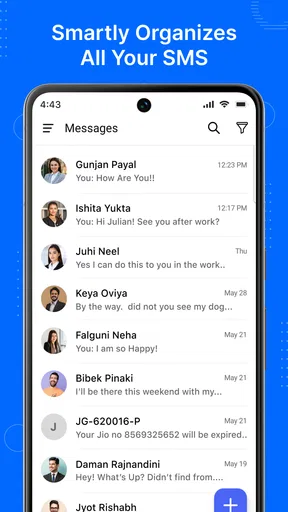
When you first open the app, the interface is refreshingly clean and intuitive. If you're used to the default messaging apps on Android or iOS, you'll feel right at home. The design might not win any innovation awards, but it's straightforward and reliable, which is exactly what you need in a messaging app.
The app supports a range of features that make it more than just a basic texting tool. From emojis to GIFs and even location sharing, it packs quite a punch. I’ll dive into some of these features that really stood out to me.
Feature highlights
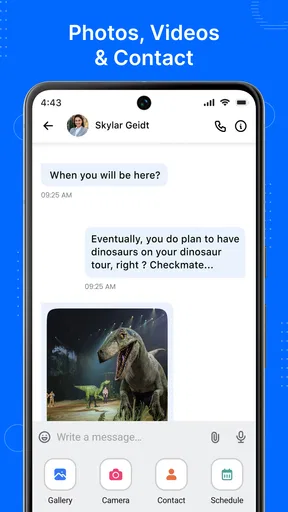
One of the coolest things about Messages - SMS Text Message is its ability to integrate seamlessly with other apps. For instance, you can directly share photos from your gallery or even snap a quick selfie without leaving the chat interface. This saves time and effort, which I totally appreciate.
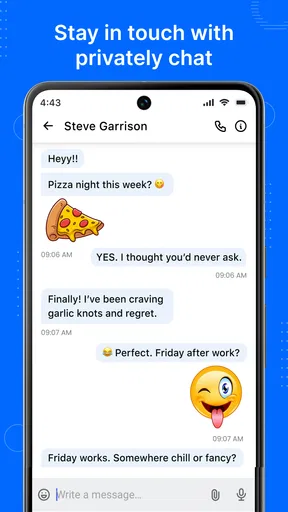
The app also supports group chats, allowing you to connect with multiple friends at once. You can name your groups, mute notifications if things get too chatty, and even pin important messages for quick access later. These little touches make group messaging much more manageable.
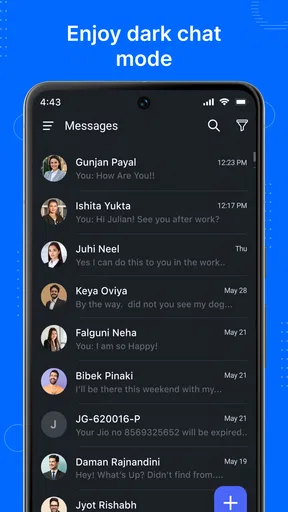
Another standout feature is the app’s customization options. You can change the theme, adjust the font size, and even tweak notification settings to your liking. It's all about making the app work for you, which is a nice touch.
A few quirks
No app is perfect, and while Messages - SMS Text Message is pretty solid, there are a few quirks worth mentioning. Occasionally, messages can lag, especially if you’re sending a bunch of media all at once. It’s not a dealbreaker, but something to be aware of if you’re in a hurry.
The app also lacks some of the more advanced features you might find in premium messaging apps. For instance, end-to-end encryption isn't available, which might be a concern if privacy is a top priority for you. However, for standard messaging needs, it does the job well.
Usability and performance
Overall, the app performs smoothly on both Android and iOS. I didn’t notice any significant battery drain, which is always a win in my book. The developers are Fronex Lab, and the current version is 11.0, with Android 6.0 as the minimum operating-system requirement.
Setting up the app is a breeze. You just need to grant the necessary permissions, and you're good to go. The app does a great job of importing your existing messages, so you won’t lose any important conversations in the transition.
My recommendation
So, would I recommend Messages - SMS Text Message? Absolutely. If you're looking for a reliable, straightforward messaging app that keeps things simple while offering a few handy extras, this one’s worth a shot. It’s not going to replace your favorite social media apps, but it’s a great tool for staying connected with friends and family.
It was released on June 17, 2025, and the 186 reviews add another perspective alongside its broader rating count. I would treat those as context rather than a promise that every person will have the same experience. The practical test is whether the app’s scheduling and group-chat workflow makes your own routine easier without asking you to give up the messaging options you already prefer.
Download it, give it a whirl, and see if it fits your messaging style. After all, the best way to find out if an app is right for you is to dive in and test it out yourself!
Pros
- Intuitive user interface
- easy to navigate.
- Supports multimedia messages efficiently.
- Offers message customization options.
- Includes a quick search function.
- Compatible with most Android devices.
Cons
- Lacks advanced security features.
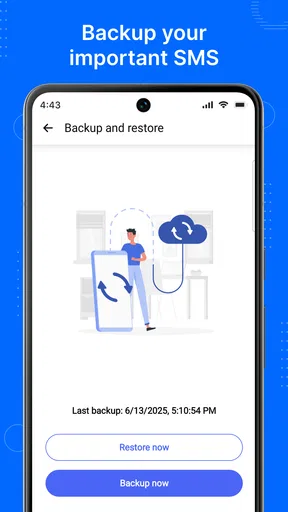
- No cloud backup for message history.
- Limited integration with other apps.
- Ads can be intrusive at times.
- Customization options are somewhat basic.
FAQs for Messages - SMS Text Message
Is the Messages app secure for private conversations?
Yes, the Messages app is designed with security in mind, offering end-to-end encryption for its users. This ensures that only you and the person you're communicating with can read the messages. However, always keep your app updated to benefit from the latest security features.
Can I customize notifications in the Messages app?
Absolutely! The Messages app allows you to customize notifications to suit your preferences. You can set custom ringtones, vibration patterns, and even choose specific notification settings for individual contacts. This ensures you never miss an important message while maintaining personalized alerts.
Does the Messages app support multimedia messaging?
Yes, the Messages app supports multimedia messaging, allowing you to send and receive photos, videos, voice notes, and more. This feature enriches your communication by enabling you to share a variety of media types with your contacts seamlessly and efficiently.
Is it possible to sync the Messages app across multiple devices?
The Messages app offers synchronization capabilities across multiple devices, provided you are logged in with the same account. This feature is particularly useful for users who switch between devices, ensuring that all messages are accessible and up-to-date on each device.
Are there any in-app purchases in the Messages app?
No, the Messages app typically does not include in-app purchases. It offers a wide range of functionalities for free. However, you might incur charges from your mobile carrier for SMS and MMS messaging, depending on your service plan. Always check with your carrier for potential costs.


